- Modern vehicles carry a standard 17-character VIN.
- There is no universal 5–14-character classic VIN format.
- VINNumber.ca can also search eligible classic and vintage vehicles with 5–14-character identifiers.
- A decoder shows how the vehicle left the factory, not what condition it is in now.
- A VIN decoder gives the core specifications. A window sticker adds equipment, packages, and original pricing.
- Check the specs before you buy, then compare decoded specifications with the physical vehicle, seller's description, and available documentation.
You find a used SUV online. The ad says V6, all-wheel drive, top trim. The price looks fair if that’s true, and a lot less fair if it isn’t. Checking the vehicle specs by VIN settles it in a minute.
A VIN contains manufacturer-assigned codes that identify a vehicle's make, model year, vehicle type, and other specifications. An online VIN decoder uses those codes and available vehicle data to return matching information.
This guide shows how to check vehicle specs by VIN, what a VIN decoder can and can’t tell you, and how the same lookup works for older vehicles, including classics with shorter identification numbers.
How to Check Vehicle Specs by VIN
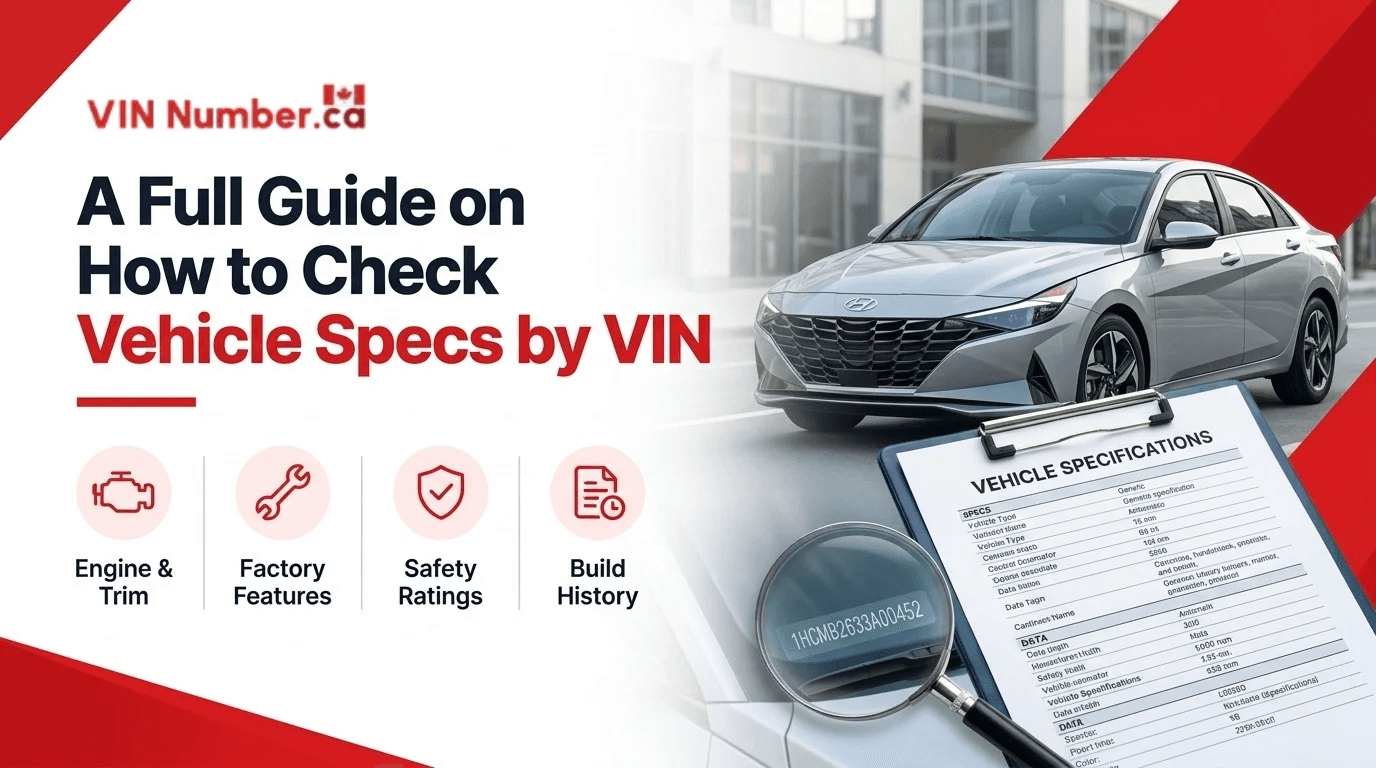
You don't need to decode all 17 VIN characters yourself. An online VIN decoder can process the number and retrieve matching vehicle information. Follow these easy steps to check a vehicle's specifications.
1. Find the Vehicle Identification Number
Start by locating the vehicle's VIN. You can find the VIN on Canadian vehicle paperwork, including the vehicle ownership permit (registration), pink liability card (proof of insurance), bill of sale, lease or financing agreements, and any purchase or financing documents that display the VIN.
On most cars, you'll find it in one of these places:

Check that the VIN matches across the vehicle and its paperwork to make sure you are not getting scammed, for example, with VIN cloning.
2. Enter the VIN Into an Online Decoder
Go to the VIN decoder on VINNumber.ca and enter the VIN. Double-check the number before submitting it. Even one incorrect character can affect the lookup results.
3. Check the Vehicle Specifications
After the lookup, review the information returned for the vehicle. Depending on available data, this will include make, model, model year, engine, body style, transmission, and drivetrain.
4. Verify the Original Factory Equipment
Specs don’t tell you which options the vehicle left the factory with. For that, use a window sticker lookup, which lists packages and equipment when manufacturer records are available. Compare the results with the seller's listing and the vehicle you're inspecting. If something doesn't match, ask the seller for supporting documents.
What Information Can a VIN Reveal About a Vehicle?
A VIN isn't a random combination of letters and numbers. Its 17 characters are arranged into sections, each serving a different identification purpose.
World Manufacturer Identifier (WMI)
The first three characters make up the World Manufacturer Identifier (WMI). They identify the manufacturer and provide information about its country or region of origin.
Vehicle Descriptor Section (VDS)
Characters 4 to 8 describe vehicle attributes, such as vehicle type and model characteristics. Manufacturers assign these codes according to applicable VIN requirements.
Check Digit
Character 9 is the check digit. It is calculated using the other VIN characters to help identify an incorrectly entered or invalid VIN.
Vehicle Identifier Section (VIS)
Characters 10 to 17 identify the individual vehicle. Character 10 shows the model year, character 11 usually shows the assembly plant, and the last six characters are the production sequence number.
The model year is not necessarily the year the vehicle was manufactured or first registered. A vehicle built in late 2024, for example, may be designated as a 2025 model.
What Vehicle Specifications Can You Check Using a Free VIN Decoder?
The information returned by a VIN decoder varies between vehicles. Some manufacturers provide more detailed specifications than others. Here's a look at the details you may be able to retrieve:
| Specification | What You Can Verify. |
|---|---|
| Make | Vehicle manufacturer. |
| Model | Model name and series. |
| Model year | Designated model year. |
| Engine | Engine type and configuration, when available. |
| Fuel type | Gasoline, diesel, hybrid or electric, when available. |
| Transmission | Automatic or manual transmission details. |
| Body style | Sedan, SUV, pickup, hatchback and more. |
| Drivetrain | FWD, RWD or AWD, when available. |
| Assembly plant | Vehicle manufacturing location, when available. |
If you're looking for original equipment or pricing details, a window sticker may contain information that isn't included in a standard VIN decoder.
VIN Decoder vs. Window Sticker: What's the Difference?
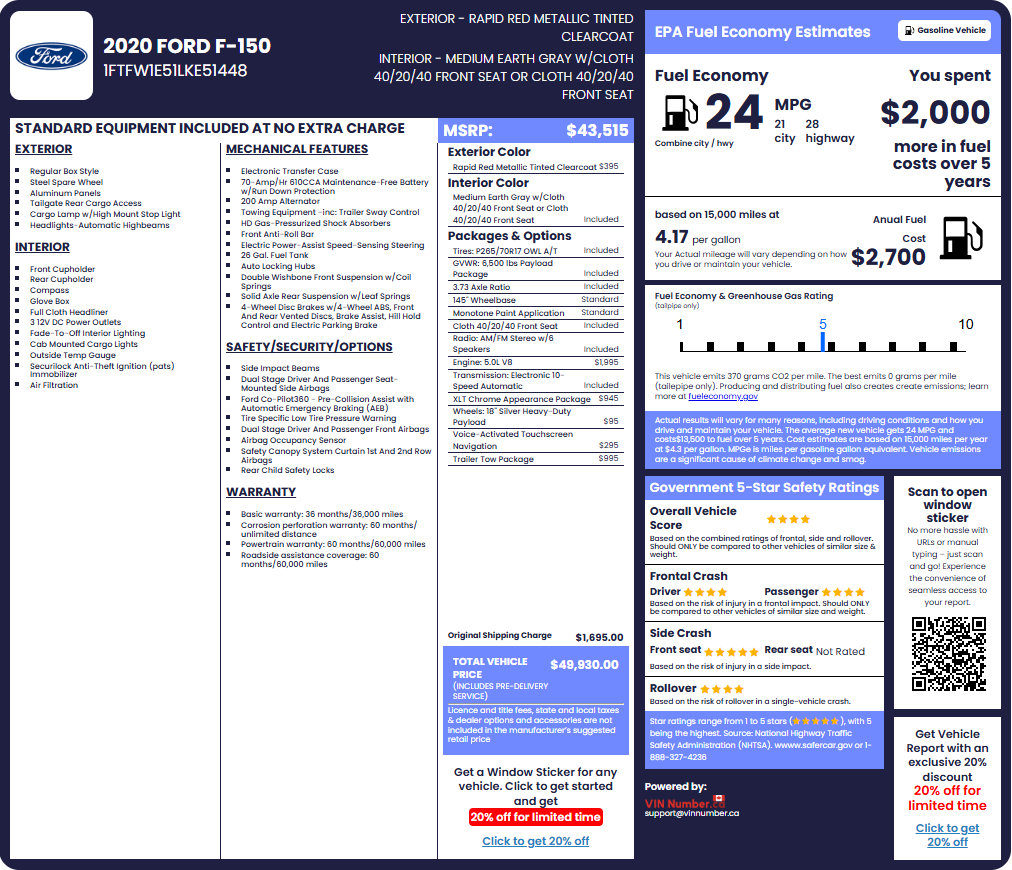
A VIN decoder and a window sticker provide different types of vehicle information. See the details in the table below:
| Feature | Free VIN Decoder | Window Sticker |
|---|---|---|
| Manufacturer | Yes | Yes |
| Model and year | Yes | Yes |
| Engine information | When available | When listed |
| Body style | When available | When listed |
| Original MSRP | Not always | When available |
| Factory options | Depends on available data | When listed |
| Standard equipment | Limited details | When listed |
| Original packages | Not always | When listed |
| Factory Colours | No | When listed |
| Warranty | No | When listed |
If you want to identify a vehicle, start with a VIN decoder. If you're checking its original equipment, pricing, or optional packages, look for the window sticker.
Can You Search a Classic or Vintage Vehicle With a Short VIN?
Yes, for eligible vehicles. VINNumber.ca’s decoder searches modern 17-character VINs and eligible classic and vintage vehicles with shorter 5–14-character identifiers.
Why Older Vehicles Have Shorter Identification Numbers
The 17-character format has been standard in North America since the 1981 model year. Before that, each manufacturer set its own serial number format, so length, layout, and meaning vary by make and year. A short identifier is not a damaged VIN. It is the format of its time, and it doesn’t follow the modern structure described above.
How To Search Eligible 5–14-Character Identifiers
Find the vehicle’s serial number on its data plate (often on the door pillar, the firewall, or the frame) or on the ownership papers. Copy it exactly as it is stamped, enter it into the classic car VIN decoder, and compare the result with the vehicle’s make, model, and engine. Engine and transmission numbers are separate codes, so use the vehicle’s own serial number.
What To Do If a Classic VIN Can’t Be Decoded
Recheck every character against the plate and the ownership documents. Confirm it isn’t an engine number. If it still returns nothing, the identifier may not be eligible, or the manufacturer data may not exist. You can ask for help from our customer support in the live chat to assist you through the process.
What a VIN Cannot Tell You
A VIN decoder shows the factory specifications. It does not show the vehicle’s current condition. It also does not confirm legal ownership or mechanical soundness.
Three documents answer three different questions.
- The decoder says what the vehicle is.
- Our recreated window sticker provides a summary of a vehicle's factory specifications, equipment, packages, original pricing, and other relevant information.
- Provincial paperwork, such as the Ontario Used Vehicle Information Package (UVIP), covers registration and ownership details. Use them together.
Read also: UVIP vs VINNumberCA: What Every Ontario Car Buyer Needs to Know
Final Thoughts: Look Up Vehicle Specs by VIN Before You Buy
Not sure whether a used car has the specifications listed in the seller's advertisement? You can start by checking its VIN.
Use the VIN decoder to check key factory specifications at no cost. If you want to see the original MSRP, factory equipment, or optional packages, try the window sticker lookup to see the detailed factory specifications of the car, which lets you use the vehicle's VIN to check original vehicle specifications.
Compare the results with the seller's description and inspect the vehicle. These checks can help you spot discrepancies before making a purchase.
Vehicle Specs by VIN Canada FAQs
Can I look up vehicle specifications by VIN for free in Canada?
Yes. Our free VIN decoders provide basic vehicle specifications at no cost. Original MSRP, factory options, and equipment packages may require a separate paid window sticker product.
Can a VIN tell me the exact trim level?
Sometimes. Certain manufacturers encode information that helps identify a vehicle's series or trim. However, not every VIN decoder can identify every trim level or optional package.
Can I look up specifications for a vehicle manufactured before 1981?
Yes. VINNumber.ca supports classic and vintage vehicle VIN decoding and lookup for identification numbers ranging from 5 to 14 characters. Older vehicles may use manufacturer-specific identification formats rather than the standardized 17-character VIN. Available specifications depend on the vehicle and matching database records.
Are VIN specifications always accurate?
Not necessarily. VIN decoding shows what the manufacturer recorded for that VIN. It won’t reflect later changes such as engine swaps, aftermarket parts, or a repaint. If the decode and the vehicle disagree, recheck the VIN for typos. A VIN on the car that doesn’t match its documents is a reason to stop and ask questions.
Is a VIN decoder enough when buying a used car?
No. A decoder confirms what the vehicle was built as. It doesn’t show accidents, brands, liens, or condition. Add a vehicle history report, the provincial documents, and an inspection by a mechanic.